Airbnb Guest Messages: Ready-to-Use Templates
Ready-to-use Airbnb guest message templates for every stage of the stay, with the right trigger and timing, plus what to automate without sounding robotic.
By Equipe Anfitrione

Part of the guide: 5-star Airbnb reviews: how to get and maintain them
Most hosts treat guest messages as improvisation: answering one at a time, however they can, whenever they have a spare minute. That works with one booking a month. It breaks down when your phone buzzes with "what time can I check in?" and "what's the Wi-Fi password?" at 11 p.m., every week, always from scratch. And whether the booking came from Airbnb, Booking.com or directly through you, the questions are the same.
The fix isn't writing friendlier texts. It's building a system: the right Airbnb guest message, sent at the right trigger, with a human touch saved for whatever the template didn't anticipate. A stay has seven message moments, from the inquiry before booking to the review request after checkout. Knowing which message goes in each one, and when to set the template aside, is what separates hosts who work with a method from hosts who are held hostage by their phone.
This guide covers the seven ready-to-use templates, the trigger and timing for each, what you can automate with Airbnb's own tools and, above all, when a template gets in the way instead of helping. If your question is broader, about what makes a listing show up in search, start with how the Airbnb algorithm works.
Key takeaways
- Seven messages cover the whole cycle, from inquiry to review, one per stage.
- The day-before check-in message has the biggest impact: it puts address, access and Wi-Fi in a single text.
- Scheduled messages go out on a trigger but don't reply, and that's the limit of Airbnb's built-in tools.
- Minimal personalization (the guest's name plus one booking detail) is what keeps a template from sounding robotic.
- Replying quickly helps conversion and supports the 90% response rate Superhost requires.
Why are good guest messages a system, not nice wording?
A good message isn't the friendliest one. It's the right message, at the right trigger, with minimal personalization and without overwhelming the guest. The wording matters, but it comes after the structure. Hosts who start by chasing the perfect sentence and ignore when it goes out end up sending the right thing at the wrong time, which is almost as bad as not sending it at all.
Each of the seven templates in this guide follows the same three-layer logic. The first layer is trigger and timing: what sets the message off and when it lands best. The second is the copyable template: the base text, ready to adapt. The third shows up only where there's a real decision to make: the reasoning behind each choice, the detail you usually learn the hard way. That sequence is what turns a list of canned phrases into a system that works for you. If you list on both Airbnb and Booking.com, this cycle is what keeps the same standard of guest communication on both: the sending tool changes, the timing doesn't.
| Layer | What it is | What it's for |
|---|---|---|
| Trigger and timing | what sets it off, and when | sending at the right time |
| Copyable template | the base text | not starting from scratch |
| Reasoning | the operator's decision | adapting without sounding robotic |
Two rules hold the system's quality together, and both run against a new host's instincts. The first is dosage: more messages don't mean better service. Put the instructions in one message the day before instead of sending five short texts throughout the day, because every extra notification wears out a traveler who is trying to travel. Organizing that information is the job of your Airbnb house manual, which feeds your messages with the right answers. The second is personalization. Minimal personalization means swapping in the guest's name and one booking detail before sending any template, every time, no exceptions. A raw template sounds like a bot, and sounding like a bot can hurt your reviews as much as silence. In practice, hosts notice that guests forgive a simple, direct text but immediately bristle at a generic "Dear guest" that ignores the fact that they have a name and a trip planned.
There's also the cold, numerical side. Replying quickly helps conversion and is a Superhost criterion: at least a 90% response rate within 24 hours. I won't go back over that here, since it's covered in how the Airbnb algorithm works. What matters for your message system is simple: a ready template going out at the right moment is the cheapest way to avoid leaving a guest waiting.
Which messages should you send at each stage of the stay?
There are seven messages, in the order of the stay: inquiry before booking, booking confirmation, day before check-in, arrival, during the stay, checkout and review request. Each has its own trigger and timing, and together they cover the full conversation with no gaps and no repetition.
Get the next guides before anyone else
Practical Airbnb management and automation tips, no fluff. One email when new content drops. Unsubscribe anytime.
The table below is the map of the system: the trigger sets the message off, the timing defines when it lands best, and the last column says what that message solves.
| Stage | Trigger | Timing | Solves |
|---|---|---|---|
| Inquiry | question before booking | right away | doubts that stall the booking |
| Confirmation | booking confirmed | minutes later | tone and expectations |
| Day before | 24 to 48 hours before | morning of the day before | access, Wi-Fi, address |
| Arrival | after check-in | start of the stay | confirms they got in |
| Stay | midway through a long stay | once | only what's needed |
| Checkout | evening before departure | evening | time and requests |
| Review | after checkout | a few hours later | ask for a review |
1. Inquiry before booking: how should you reply?
Reply quickly, and reply inside Airbnb. At the inquiry stage, the traveler is still comparing your listing with others, and whoever answers first gets a head start. The text here clears up the question and invites them to book, without pressure.
Hi [name]! Thanks for reaching out. Yes, those dates are available. The apartment is a 5-minute walk from the subway and the Wi-Fi is fast, which is great if you need to work. If you have any other questions before booking, just message me here.
Keep pre-booking discussions on Airbnb and do not direct an inquiry toward an off-platform booking or payment. After confirmation, Airbnb says its messaging should remain the primary channel. WhatsApp support is an optional alternative when the guest requests it; keep important agreements documented on Airbnb and follow its payment rules. Also check the contact method: some Airbnb-provided temporary phone numbers work for calls and SMS but do not support WhatsApp. A phone number in the reservation is not proof the guest can use that app.
2. Booking confirmed: the welcome message
As soon as the booking is confirmed, send the welcome message. It carries no instructions; it just says thank you and explains what comes next. The goal is to set the tone and ease the nerves of someone who has just spent money on a trip.
[name], your booking is confirmed, and I'm glad to be hosting you! The day before you arrive, I'll send you the full address, step-by-step check-in instructions and the Wi-Fi password. Until then, if you have any questions, I'm right here.
3. Day before check-in: what message should you send?
The day-before message is the heart of the system. Send it 24 to 48 hours ahead, at a fixed time, with everything the guest needs to get in on their own: full address, directions, check-in time, how to access the property and the Wi-Fi password. It's a common window for check-in reminders, and Airbnb's scheduled messages can send it automatically relative to the check-in date. It's also the message that prevents the most headaches.
Hi [name]! Your check-in is tomorrow, from [3 p.m.]. Address: [address with unit number]. The building reception already has your name. The lock is electronic and the code is [1234]. The Wi-Fi network is [network] and the password is [password]. Parking is [on site/on the street]. When you arrive, send me a quick hello so I know everything went smoothly.
Put it all in one text. Don't send the address in one message and the Wi-Fi password half an hour later in another. The guest is packing and has no patience for hunting down information scattered across three different threads the night before the trip. The first message you leave unanswered before check-in tends to be the one that costs you the most in reviews. That's when a traveler's anxiety peaks: they're out on the street, bags in hand, trying to get into a place they've never seen. That's why the day-before message carries everything at once and stands on its own, without depending on you having your phone in hand at the moment of arrival. Sending it the morning before also gives the traveler time to read it calmly and ask about anything missing before they head out.
Match the time and access method with what you've already set up in Airbnb check-in and checkout. Wi-Fi and parking are among the things guests look for most, and also the ones they ask about again on arrival.
4. Arrival: confirm and keep the line open
After check-in time, send a short note confirming everything went well and leaving the line open. Two lines are enough. It's presence without pressure.
[name], I see you've checked in. Is everything OK? The towels are in the bathroom cabinet and the coffee is in the first kitchen cupboard. If you need anything, message me anytime.
5. During the stay: one check-in, not three
On a short stay, the best mid-stay message is none at all. Silence is respect. Send a single light check-in only on longer stays, and even then without expecting a reply.
Hi [name]! Just checking that everything is going well and seeing if you need anything. Enjoy the rest of your stay!
The honest counterpoint is the guest who doesn't read. You send the Wi-Fi password in big bold letters the day before and, at 10 p.m., you still get "what's the Wi-Fi?". It always happens, perfect template or not. And it proves the central point of this guide: replying quickly is worth more than writing the flawless text. The template organizes the predictable, but it's your availability that handles the unpredictable.
6. Checkout: a reminder the evening before
The evening before departure, send a calm reminder with the checkout time and the minimum you ask of guests when they leave. Use a tone of thanks, not of demand. A clear reminder helps prevent the accidental late checkout that disrupts your turnover. On Airbnb, current help center guidance says guests aren't charged a fee for checkout or cleaning tasks they don't complete (Airbnb help), so keep the list short and frame it as a request.
Hi [name]! Just a reminder that checkout is tomorrow by [11 a.m.]. When you leave, please leave the keys [on the table] and close the door. It was a pleasure hosting you, and thanks for taking such good care of the place!
7. After checkout: how should you ask for a review?
A few hours after checkout, ask for a review. No pressure and no bargaining. Timing is the secret: while the stay is still fresh and the tone of thanks opens the door.
[name], thank you for staying with us! I hope you enjoyed the place. If you have a moment to leave an honest review about how it went, it really helps other guests choose with confidence. You're always welcome back!
What separates hosts who collect reviews from those stuck at zero is not handing this request to automation and disappearing. Each additional review adds to your track record and helps the next guest trust your listing, so this is the one request worth making with care. Ask for honest feedback, never for a specific rating, and never offer anything in exchange. This is where you see how communication shapes your reviews: a guest who was well looked after across all seven stages is more likely to leave a positive review, though nothing guarantees it.
How to automate with Airbnb's tools (and where they stop)
Airbnb has two built-in features that take a lot of this work off your hands, and both are free. A scheduled message is a text that goes out on its own at a trigger, such as minutes after booking or the day before check-in, at a time you choose. A quick reply is a manual shortcut: you save the text for a recurring question and send it with a couple of taps during the conversation. Both support shortcodes that automatically fill in the guest's name, dates and house rules. You can set everything up in the app's messaging section, and the official walkthrough is in Airbnb's guide to quick replies and scheduled messages.
| Tool | What it does | When to use it | Limit |
|---|---|---|---|
| Scheduled message | sends on a trigger | welcome, day before | doesn't reply back |
| Quick reply | manual shortcut | questions in the chat | you have to be there |
| Shortcodes | fills in name and details | personalizing at scale | only inside Airbnb |
Now the honest limit that almost no guide mentions. A scheduled message is a one-way broadcast: it sends the right text at the right time, but it doesn't interpret or answer a new question the guest asks outside the script. When "can I check out later?" or "the shower isn't getting hot" comes in, no trigger covers it. And it lives inside the Airbnb chat. So the bottleneck isn't a lack of tools: you can schedule the predictable in ten minutes. What's left is the unpredictable, and the unpredictable arrives whenever it wants.
When should you NOT use a template?
Templates are for the predictable. Complaints, damage, an upset guest or a request outside the script call for a human response, never an automated template. The rule is simple: if the message requires judgment, it can't go out on its own.
| Situation | Template? |
|---|---|
| Welcome, check-in, checkout | yes, scheduled |
| Repeat Wi-Fi and access questions | yes, quick reply |
| Complaint or upset guest | no, human response |
| Damage, charges or deposit | no, human response |
| No-show or extra guests | no, human response |
Here's the example that rattles anyone who has lived through it: a guest complains about a problem at 3 a.m. and, at 8 a.m., gets your automated "good morning, is everything OK?". The template that was meant to be friendly now reads as mockery to someone who had a bad night. Damage, charges and reviewing a difficult guest are handled through conversation and Airbnb's Resolution Center, not with a trigger, and they're covered in Airbnb check-in and checkout. The same goes for cancellations and no-shows: each comes with context no canned text can predict.
Answering what the template didn't anticipate, without living on your phone
That leaves the off-script question, which almost always arrives at an inconvenient time. The template covers the predictable, but you're the one answering "the shower isn't getting hot" at 11 p.m., and those questions tend to cluster exactly when you're asleep or at work.
This is where support automation genuinely helps. Tools like Anfitrione answer guests' repeat questions on WhatsApp, send check-in instructions and share local recommendations 24 hours a day, so you aren't tied to your phone. Unlike a scheduled message, which sends a fixed text at a set trigger, this is a two-way conversation that responds to what the guest actually asks. An honest caveat: Airbnb's official response rate is measured in the platform's own inbox, and Anfitrione works on WhatsApp, so automating WhatsApp doesn't move that number directly. The gain is different, and it's the one that matters: the discipline of never leaving a guest hanging, the same habit that Superhost criteria and guest reviews tend to reflect.
Are Airbnb message templates worth using?
Yes, as long as you treat them as a system and not a crutch. The seven templates in this guide organize the predictable, from inquiry to review, and free your attention for what actually needs it. If you're building them one at a time, start with the day-before check-in message: it has the biggest impact and does the most to cut down on repeat questions.
A template is a time saver, not a substitute for being present. It systematizes what repeats precisely so you have energy for what doesn't. The next step is fitting this messaging routine into the rest of your operation, and the complete host guide helps you set that up without being glued to your phone all day.
Frequently asked questions
What message should I send a guest before check-in on Airbnb?
The day before arrival, send one message with the full address, directions, check-in time, how to get in and the Wi-Fi password. Put it all in a single text so the guest doesn't have to hunt for details across three different threads the night before the trip.
Does Airbnb have automated messages? How do they work?
Yes. Scheduled messages go out on their own at a trigger, such as after booking or the day before check-in, and use shortcodes that fill in the guest's name and dates. They send the right text at the right time, but they don't answer a new question from the guest.
Can I contact a guest on WhatsApp before they book?
Keep pre-booking communication on Airbnb. After confirmation, Airbnb messaging should remain the primary channel; WhatsApp can be an optional alternative when the guest requests it. Keep important agreements and payments in the platform’s permitted process. Some Airbnb-provided temporary phone numbers do not support WhatsApp, so do not assume every confirmed guest can use it.
How many messages should I send without bothering the guest?
Around seven across the whole stay, one per stage, with no more than one or two a day at the busiest point. Put the instructions in a single message the day before instead of sending five short texts. On short stays, silence is also a form of respect.
Don't ready-made templates sound robotic?
They do if you send the raw text. The template is the starting point, not the final version. Always swap in the guest's name and one detail from the booking, such as the dates or the reason for the trip. That small touch is what separates a person from a bot.
Does replying quickly count toward Superhost?
Yes. Superhost requires responding to at least 90% of new messages within 24 hours, assessed over the past 365 days. Replying within an hour isn't required, but it can help you win bookings, because the guest is often still comparing options at that moment.
Tired of answering the same questions on WhatsApp?
Anfitrione answers your guests around the clock, in your own tone of voice: check-in, Wi-Fi, local recommendations. You get the hours back, and no booking is lost to a slow reply.
Keep reading

Airbnb trip change request: what to check before accepting
An available night is only part of the decision. Check the new group, price and turnaround; declining the request keeps the original reservation in place.

Airbnb pre-approval: when to send it and what to check
Pre-approving an inquiry does not hold the dates for that guest. Identify the difference between an inquiry, a request and a confirmed booking before acting.
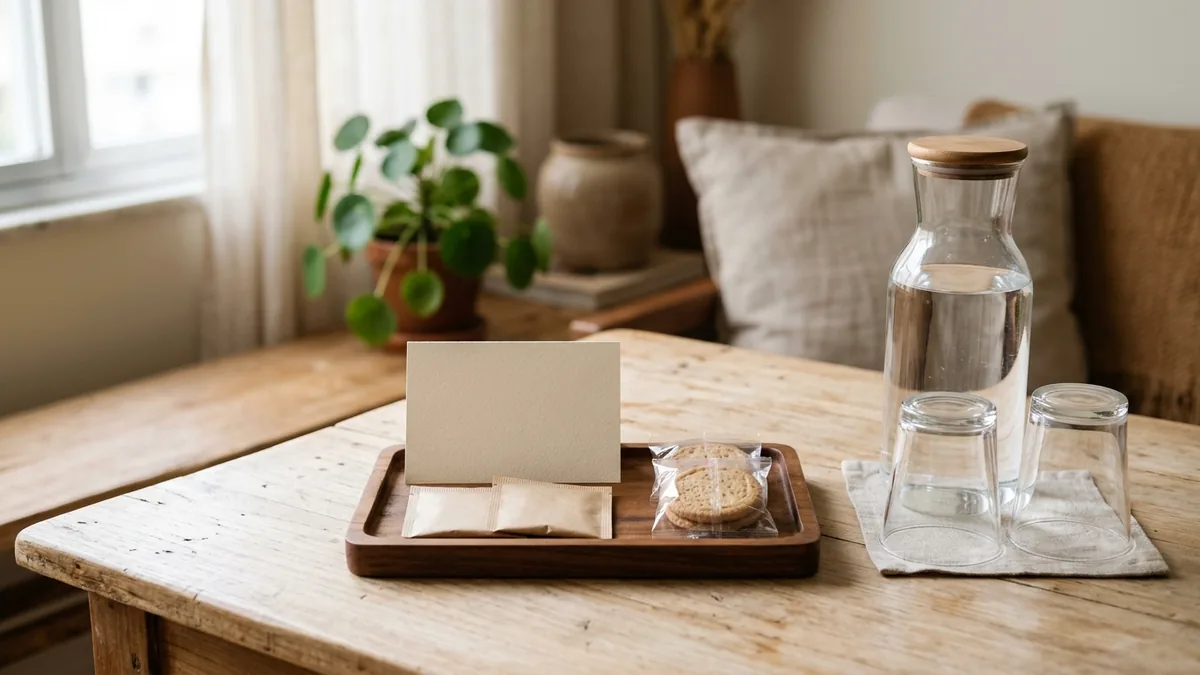
Airbnb welcome basket: what to include and how to restock
A card, a packaged treat or a small local gift: choose a welcome your team can repeat, and work out its full cost for each booking.

5-star Airbnb reviews: how to get and maintain them
A perfect rating is not won by arguing over a bad review later. It is built beforehand: an honest listing, fast replies, and frictionless check-in.
Get new guides by email
Practical Airbnb management and automation tips, no fluff. One email when new content drops. Unsubscribe anytime.