Airbnb check-in and checkout: times and automation
Learn how to set Airbnb check-in and checkout times, automate guest communication, and handle situations where guests leave your property dirty or damaged.
By Equipe Anfitrione
Part of the guide: 5-star Airbnb reviews: how to get and maintain them
Check-in and checkout on Airbnb are the two times that dictate when a guest can enter and when they must leave. It seems like a minor listing detail. It is not. In day-to-day operations, these two times become the system that organizes the turnover from one guest to the next, decides if you sleep peacefully, and defines how much time you spend answering messages.
This guide is for those who have their first property and get tangled up in the settings, and also for those who already have several and have become hostages to their phones answering "what time can I enter?". You will see how to set times, automate access and communication, allow early entry without hurting yourself, and what to do when checkout comes with a surprise. The configuration path here is for Airbnb, but the underlying operation applies equally whether the reservation came from Booking.com or direct bookings. No magic formulas. Just method.
Main points
- Check-in at 3:00 PM and checkout at 11:00 AM is one workable example and opens up about 4 hours for housekeeping.
- Self check-in offers guests more arrival flexibility and helps your listing appear in filtered searches.
- Early check-in and late checkout can be charged for, provided they are agreed upon in advance and do not eat into the cleaning time.
- Mess is not damage: photograph every checkout and only involve the platform for excessive issues.
- AirCover: the reimbursement request goes through the Resolution Center, within 14 days of checkout; Support and supporting documents must also be submitted within 14 days of the damage or loss. Damage protection is subject to terms, with a limit of up to USD 3 million. Step-by-step in how to use AirCover for damage.
Why "check-in 10 AM, checkout 11 AM" does not add up
The most common mistake for beginners is to put the two times too close together. A person sets check-in at 10:00 AM and checkout at 11:00 AM and thinks it is resolved. Add a new reservation for the same day and the math fails. The person leaving at 11:00 AM and the person entering at 10:00 AM do not fit in the same apartment, and no one cleaned anything in between.
The turnover window is the interval between one guest's departure and the next one's arrival. It is in this gap that housekeeping, linen changes, and property inspections happen. On a same-day turnover, this interval is the most precious thing in your schedule. If it disappears, you fall into one of two traps: you cancel the new reservation at the last minute or you hand over a dirty property to the arriving guest. Both ruin your reviews, and bad reviews ruin your occupancy the following month. It becomes a domino effect that started with a poorly configured time, and canceling on your end also weighs heavily on the Airbnb cancellation policy. That is why the market has settled on a comfortable standard, with early checkout and afternoon check-in, leaving a few hours of breathing room between guests.
Experienced hosts usually only open check-in at 2:00 PM or 3:00 PM and close checkout at noon or 11:00 AM. A two to four-hour buffer may work for a small property, but time a real turnover before relying on it. This is why the decision to outsource cleaning or do it yourself weighs so heavily on the turnover: housekeeping must fit within this window without delaying the arrival of the next guest.
How to set check-in and checkout times on Airbnb
Start with check-in from 3:00 PM and checkout by 11:00 AM. This is the standard that gives housekeeping some breathing room. Then adjust it to your operation, because the ideal time depends on who does the cleaning and how tight your turnover is.
In the app or on the website, open Listings > Listing editor > Arrival guide > Check-in Checkout to set your arrival and departure times. Review availability separately for same-day bookings and preparation time. The Airbnb help center has a step-by-step guide to changing times (edit Listings > Listing editor > Arrival guide > Check-in Checkout). But adjusting the clock is only half the job.
Get the next guides before anyone else
Practical Airbnb management and automation tips, no fluff. One email when new content drops. Unsubscribe anytime.
The reality is that three availability settings protect your turnover more than the time itself. Preparation time is the automatic blocking of one or two nights between reservations, so housekeeping does not race against the clock. The other two control who enters and when.
| Setting | What it does | When to use it |
|---|---|---|
| Preparation time | Blocks 1 night between bookings | Tight turnover or outsourced cleaning |
| Advance notice | Requires days in advance | You cannot handle same-day bookings |
| Minimum stay | Sets minimum nights | Cut idle 1-night housekeeping |
What is self check-in and why does it help?
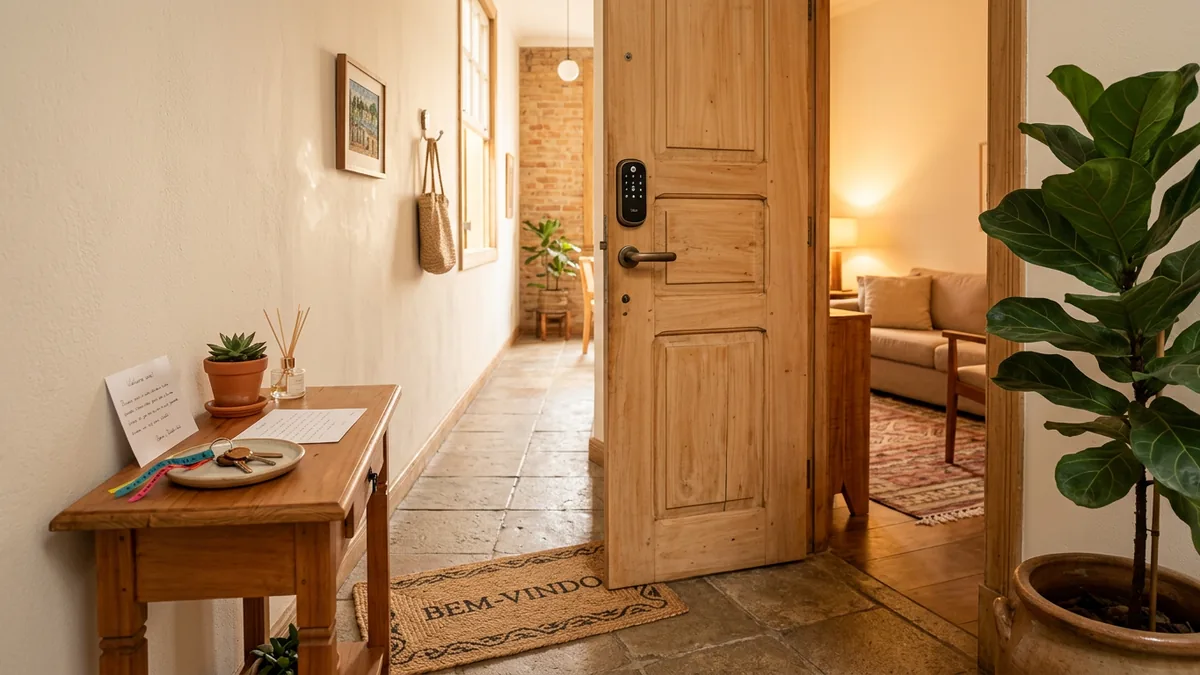
Self check-in is when the guest enters the property alone, without you at the door. They use a smart lock with a code, a key lockbox, or the building code, and receive instructions before arriving. You do not need to stop your day to hand over a key.
It is worth it for the time saved and for search visibility. Many guests appreciate entering at their own pace, and it makes sense: flights get delayed, city traffic jams, and almost no one arrives at the exact time agreed upon in the chat. When you depend on handing over the key in person, you are tied to a time window and held hostage to other people's unforeseen events. Self check-in breaks this tie. It also functions as a search filter on Airbnb, so you combine the comfort of those arriving with more visibility for your listing, though it does not guarantee a ranking boost. In the end, you win twice: you stop wasting your afternoon waiting for late guests and you appear more to those looking for a property in your area.
Setting it up is simple: register the access instructions in the listing. The help center explains how to add check-in instructions, which appear to the guest shortly before arrival and are saved on their phone.
When choosing access, there are two paths. A key lockbox is often simpler to install, but you usually change the code manually and may have no access log. A smart lock can offer per-reservation codes and access logs, depending on the model. Compare current local equipment and installation prices, offline behavior, and maintenance before choosing. How automatic the code change is varies by model, and it is worth checking before buying. For either, two golden rules apply: change the code between stays and have a plan B, a spare key or an extra lockbox, so you never get a 2:00 AM call from a locked-out guest. If it is a lockbox, prefer a wall-mounted one, as padlock styles can be cut.
Do I need to be present at check-in to prevent damage?
No. Standing at the door does not stop anyone from ruining anything. Hosts who hand over keys in person have had their properties trashed while looking the owner in the eye, and those who operate 100% remotely live with guests who take care of everything without ever seeing the host's face. Presence and care simply do not go together. What is expensive is presence: checking cutlery piece by piece and doing an exit inspection at six in the morning burns time and money that yield more as a replacement fund for cheap items. In practice, express checkout, where the guest closes the door and leaves, combined with photos from the housekeeping team, protects more than a meticulous in-person inspection. The legitimate exception is a property or guest that actually requires presence, such as a language barrier or a more complex property.
Why automate communication, and not just access?
The lock solves the door. It does not solve the questions. They keep arriving on your phone at any time: "what time can I enter?", "what is the code?", "how do I get there?". They are almost always the same, and every reservation starts from scratch. They come from every channel and land in the same place: your phone.
Airbnb has scheduled messages, and they help. The problem is the channel. They live inside the Airbnb chat, and many guests prefer to talk on other messaging apps. When they leave the platform and send you a "hi" at 10:00 PM, Airbnb's automation does not reach them.
| Channel | Where it lives | Reaches the guest |
|---|---|---|
| Airbnb scheduled message | Airbnb chat | Only inside the app |
| Direct messaging apps | Phone, always open | Where they already are |
That is where automating in the right channel helps. Tools like Anfitrione automate communication 24 hours a day, answering common questions, sending check-in instructions, and even local recommendations, without you holding your phone for every message. In practice, operators notice that the first unanswered message is the one that costs the most in reviews, because the delay in pre-check-in is where guest anxiety peaks.
A good message is not improvised. It is a few ready-made texts firing at the right time, from the booking invitation to the review request. We gathered the seven templates of the cycle, with the trigger and time for each, in messages for Airbnb guests. It is exactly this type of sequence that an automation tool fires on its own, without you having to remember each one.
Can I charge for early check-in and late checkout?
You can allow it, and even charge for it, provided you inform them beforehand, agree on it through the platform, and it does not compromise the next reservation's housekeeping. Early check-in is entry before the standard time. Late checkout is departure after it. Both are great courtesies for reviews, and traps when you promise them on a whim.
The golden rule is simple: block the calendar before promising. If you guarantee entry at 10:00 AM for someone and a reservation appears that would leave that same day, you are in trouble. That is why many hosts charge an extra fee when the guest wants a guarantee. Guaranteeing means closing that date to any other reservation, and that has a cost. When there is no neighboring reservation, the simplest thing is to allow it for free and earn the review. Disclose any optional charge, get the guest’s agreement, and use the payment process Airbnb permits for your situation. An agreed optional service is different from a penalty for breaking checkout instructions. Airbnb’s ground rules for guests prohibit fees for failing specific cleaning or checkout tasks.
| Scenario | Allow for free? | Charge? | Block calendar? |
|---|---|---|---|
| No neighboring booking | Yes, courtesy | No need | No need |
| Guest wants guarantee | n/a | Yes, an extra fee | Yes, always |
| Tight turnover | Better not | n/a | Keep standard |
When it makes sense to charge, the amount usually follows how much the time encroaches on the calendar. The following is an illustrative pricing approach, not an official schedule or permission to charge. Check platform rules and your actual opportunity cost:
| Requested time | Illustrative optional charge |
|---|---|
| Early check-in from 10 AM to 3 PM | half nightly rate |
| Early check-in before 10 AM | one full nightly rate |
| Late checkout until 4 PM | half nightly rate |
| Late checkout after 4 PM | one full nightly rate |
What to do when checkout goes wrong?
Before the step-by-step, a warning that connects both ends of the operation. The two worst mistakes are a guest locked out and one arriving at a dirty property, and the latter can even provoke damage. There is a report from a Brazilian host forum of a poorly executed turnover, with cleaning not scheduled, that ended in an angry guest breaking the TV and shattering the oven glass out of pure retaliation. AirCover covered the items, around 800 BRL for the TV and 1,000 BRL for the oven in this specific case, and partially reimbursed the lost income for the idle days. That individual account does not establish how often this happens. It does show why a well-executed turnover is an important layer of prevention.
First, breathe and separate mess from damage. Most bad checkouts are just dirt and disorganization, not real damage. An unmade bed, dishes in the sink, and scattered trash are annoying, but they are extra cleaning, not a financial loss. Damage is what breaks, stains irreversibly, or goes missing from the property. When the damage seems intentional or comes from a strange reservation, it is worth cross-referencing with the most common scams against hosts, which often start outside the platform.
The discipline that protects you is simple and cheap: photograph every checkout, always, even when everything is fine. The person doing the cleaning should enter recording the state of the property. The photo is what supports any request later. Without it, it becomes your word against the guest's, and then no one wins. When excessive issues happen, you have three paths.
| Option | When to use | Deadline |
|---|---|---|
| Let it go | It was more dirt than damage | n/a |
| Settle with guest | Can be resolved by talking | Before reviewing |
| Resolution Center | There was property damage | Request: 14 days from checkout; Support and documents: 14 days from damage or loss |
AirCover is the host protection that Airbnb itself offers, with damage coverage up to 3 million USD and deep cleaning reimbursement in cases of guest excess. The request is not automatic: you open it through the platform's Resolution Center. The deadline that matters most is short: open the request within 14 days after the responsible guest's checkout, and involve Airbnb Support with supporting documents within 14 days of the damage or loss. These are separate deadlines: on a long stay, the second can fall before checkout. The guest has 24 hours to respond. If they decline, do not respond, or pay only part, you can ask Airbnb to review a Host damage protection request; this review is not automatic. Coverage includes damage to the property and furniture, pet damage, and even lost income from a reservation canceled due to the damage. It does not cover normal wear and tear, nor that mess that is just extra cleaning. The help center details damage protection for hosts, and deadlines change, so always confirm the current one.
In practice, the request moves forward when you arrive with proof and on time. The step-by-step that works:
- Photograph and film at checkout, always, even when everything is fine.
- Talk to the guest first, via the platform chat, describing what happened.
- If unresolved, open the request in the Resolution Center within 14 days after checkout, while also meeting the Support deadline of 14 days from damage or loss.
- Attach the evidence: photos, video, quote or receipt, and a link to an equivalent product.
- Track the guest's deadline and, if necessary, involve Airbnb support with the documentation.
Just do not treat AirCover as a magic shield. Hosts report that the process can be slow and bureaucratic, and it is precisely the documentation that makes the request move forward. The rule of thumb applies: whatever is small, let it go and move on; for excesses, document and file a claim. For those setting up the entire operation, the complete Airbnb host guide weaves these decisions into a single routine.
How to review a guest after a bad checkout?
Review with facts and a calm tone, never in the heat of the moment. You can give the low cleanliness rating the case deserves and describe what happened, without aggressive text or personal attacks. Mark whether you would host the person again, because this guides other hosts. An honest and cold review protects the community and your reputation better than an angry rant.
| Aspect | Do | Avoid |
|---|---|---|
| Tone | Facts and calm | Angry rant |
| Text | What happened | Personal attack |
| Rating | Honest in the category | Star revenge |
Conclusion: two times, one system
Check-in and checkout are not two fields to fill out and forget. They are the operating system of each reservation. The turnover window protects your margin, self check-in and automation give you your time back, and documentation covers you when someone goes too far. The operation that scales is the one that has become routine, not the one that depends on you being awake at 11:00 PM answering "what is the code?". Start with the times and the window, then automate what repeats. If you are still preparing the property, see the essential items to set up your Airbnb.
Frequently asked questions
What time is check-in and checkout on Airbnb?
There is no fixed time. The host defines it. One practical example is check-in from 3:00 PM and checkout by 11:00 AM, which opens up about four hours for housekeeping between guests. Change these times under Listings > Listing editor > Arrival guide > Check-in Checkout.
What is self check-in on Airbnb?
Self check-in is when the guest enters alone, without the host present, using a smart lock, key lockbox, or building code. The host sends access instructions before arrival. It suits guests who want a flexible arrival and can match self check-in search filters, though it does not guarantee a ranking boost.
Can I charge for early check-in or late checkout?
Yes, provided you inform the guest in advance, agree on it through the platform, and it does not compromise the housekeeping window for the next reservation. Charging an extra fee makes sense when you need to block the date on the calendar to guarantee early entry or late departure, giving up another booking.
What should I do when a guest leaves the property dirty or damaged?
First, separate mess from damage. Dishes in the sink and an unmade bed are common and are not a financial loss. Photograph everything at checkout. If there was excessive mess or real damage, talk to the guest or open a request in the Airbnb Resolution Center within AirCover deadlines.
How long do I have to request damage reimbursement through AirCover?
Under current rules, open the request through the Resolution Center within 14 days after the responsible guest's checkout, and involve Support with supporting documents within 14 days of the damage or loss. The latter deadline may fall before checkout on a long stay. Host damage protection is subject to eligibility, exclusions, and applicable terms, with a limit of up to USD 3 million; it is not conventional insurance. Always confirm current deadlines in the help center, as they change.
Do new check-in and checkout time rules apply to Airbnb?
Set clear arrival and departure times in your listing and check the rules that apply to your accommodation type and location. Hotel regulations and residential rental regulations can differ. If a new local rule may affect your property, confirm its scope with a qualified local professional.
Tired of answering the same questions on WhatsApp?
Anfitrione answers your guests around the clock, in your own tone of voice: check-in, Wi-Fi, local recommendations. You get the hours back, and no booking is lost to a slow reply.
Keep reading

Airbnb trip change request: what to check before accepting
An available night is only part of the decision. Check the new group, price and turnaround; declining the request keeps the original reservation in place.

Airbnb pre-approval: when to send it and what to check
Pre-approving an inquiry does not hold the dates for that guest. Identify the difference between an inquiry, a request and a confirmed booking before acting.

Airbnb welcome basket: what to include and how to restock
A card, a packaged treat or a small local gift: choose a welcome your team can repeat, and work out its full cost for each booking.
5-star Airbnb reviews: how to get and maintain them
A perfect rating is not won by arguing over a bad review later. It is built beforehand: an honest listing, fast replies, and frictionless check-in.
Get new guides by email
Practical Airbnb management and automation tips, no fluff. One email when new content drops. Unsubscribe anytime.