Airbnb self check-in: set up arrivals without you
Airbnb self check-in lets guests let themselves in. See the access options, keypad lock or lockbox, when to send the code and how to keep the entry safe.
By Anfitrione Team
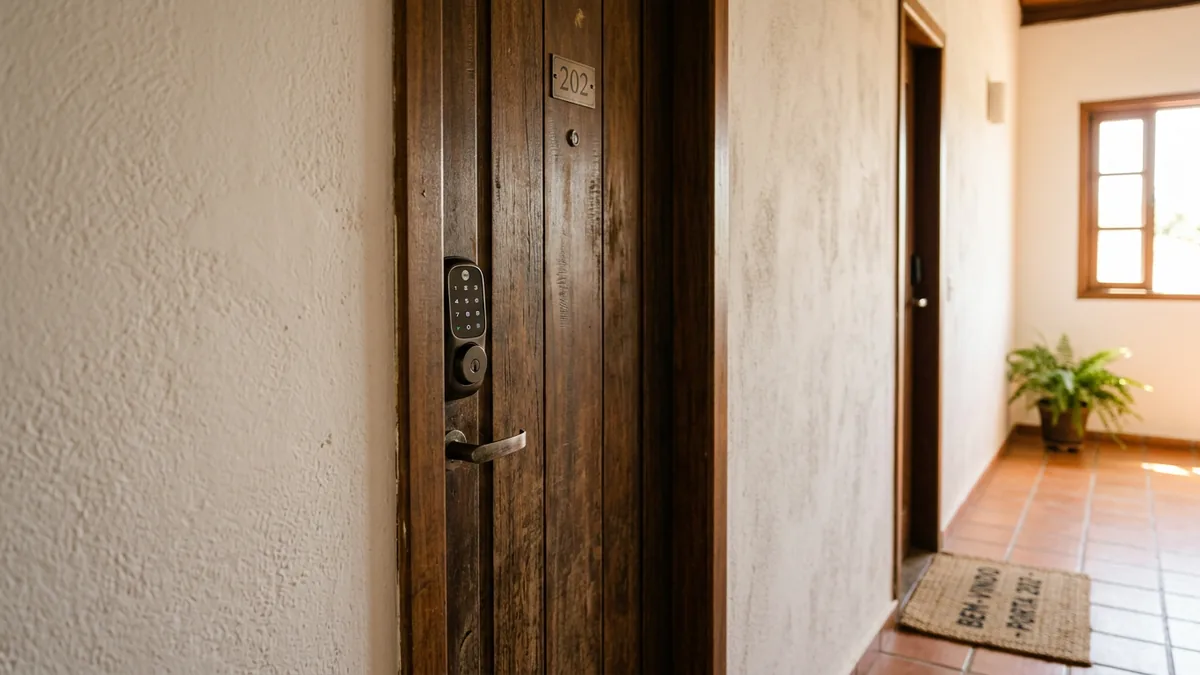
Part of the guide: How to manage an Airbnb remotely without living nearby
The first bottleneck every host runs into is the guest's arrival. You agree on a time, the flight is late, traffic locks up, and there you are waiting in the lobby at eleven at night with a key in your hand. That model does not scale and it does not need to exist. Self check-in settles the arrival once and for all: the guest arrives when they arrive and lets themselves in, without depending on you being there.
More than convenience, autonomous entry is what unlocks the remote operation and your own freedom. Without it, every booking ties your calendar to an arrival time you do not control. With it, you accept the guest who lands at three in the morning, you travel without blocking the calendar, and you stop losing bookings because you could not hand over a key. The physical key is the chain that binds the host to the property.
This guide covers the forms of self check-in, how to choose between a lock and a lockbox, how to send the access at the right moment and what safety habits autonomous entry asks for. It is one piece of the bigger job of managing an Airbnb from a distance.
Key takeaways
- Self check-in is the guest's autonomous entry, with no face-to-face meeting and at any hour.
- Keypad lock, lockbox or front desk are the three forms hosts use most.
- The timing of the instructions matters more than the hardware: send the access before arrival.
- Keep a plan B for a wrong code, a dead battery or a power cut, the failure that traps people most.
What is self check-in and why does it matter?
Self check-in means letting the guest in on their own, without having to meet you. Self check-in is autonomous entry into the property through a keypad lock, a lockbox or an app, with no face-to-face meeting with the host. It matters because it breaks the tightest knot in the operation: the duty to be physically present every time somebody arrives. With autonomous entry, the arrival stops being an appointment in your calendar and becomes a process that runs by itself.
The chart ranks what autonomous entry delivers, from what weighs most to what weighs least.
It is worth separating what self check-in solves from what it does not, so the two never blur together. It handles the entry, and only the entry. Setting the hours, the tolerance rule for late arrivals and what to do when a guest leaves the place filthy are a different subject, the one you settle when you organise your check-in and check-out rules. The honest picture is that plenty of people buy an expensive lock believing they have solved the whole operation, then find out the arrival was only the first of several pieces. Self check-in is the front door, literally and figuratively.
Get the next guides before anyone else
Practical Airbnb management and automation tips, no fluff. One email when new content drops. Unsubscribe anytime.
What are the forms of self check-in?
The three most common forms each suit a different kind of property. The electronic keypad lock is the most practical for anyone operating at volume, because you change the code for every guest from the app. The lockbox, a small combination box fixed by the door, is the cheapest and simplest to install. Front desk key pickup works in buildings with a reception, but it depends on other people. The chart splits how these methods tend to spread among hosts.
The table sums up the profile of each form and when it makes the most sense. Start with the simplest one that solves your case.
| Form | When it makes sense |
|---|---|
| Keypad lock | volume, code per booking |
| Lockbox | tight budget, simple |
| App-controlled lock | code created remotely |
| Front desk | building with reception |
Smart lock or lockbox: which one should you choose?
Choose by the balance between cost and reliability, not by the newest technology. A smart lock is the electronic lock you control from your phone, generating and rotating codes at a distance. A lockbox is the combination box fixed near the door, holding the physical key. The lock costs more and lets you create and change the code from the app, with the caveat that how quickly that change lands varies by model. The lockbox costs little and survives an internet outage, but it needs somebody to change the combination from time to time.
In practice, the choice depends on how many properties you run and how trustworthy the internet is on site. For a single property, with you nearby, the lockbox solves it for a fraction of the price and never runs out of battery at the wrong moment. For several properties, or genuine remote management, the smart lock pays back the extra cost in control: you create the guest's code from the app, set it to expire and depend on nobody to rotate a combination. Which device to buy and what to test is a subject of its own, the one you dig into when you pick an electronic lock for a short-term rental.
There is also a clever middle ground plenty of hosts adopt. You install the smart lock as the main access and keep a hidden lockbox as backup. That marries the remote control of one to the power-cut-proof sturdiness of the other. The detail that separates a calm operation from a troubled one is not which device you bought, it is always having a backup access for when the main one fails.
How do you send the access instructions at the right time?
The right hardware with the instructions at the wrong time still leaves the guest out on the street. Timing is what matters most in self check-in, and it comes with one rule: the access information has to land before the guest sets off for the property, never once they are already standing at the door. Send the full instructions the day before and repeat them on arrival day, with the code, the exact address, photos of the route and of the latch, and the step by step for the lock.
This is exactly where automation solves the problem at the root. The access message is identical in structure for every guest, only the code and the date change, so there is no reason to send it by hand and risk forgetting. Worse: sending it by hand means you have to be awake and available at the right moment, and the guest landing at two in the morning does not wait for your office hours. Tools like Anfitrione automate that delivery on WhatsApp, firing the check-in instructions the day before. They also answer, on the spot, the question of a guest stuck at the door, so you never wake up holding your phone.
Anyone listing on more than one channel feels this twice over: each platform has its own inbox, and the access instructions have to go out the same way for every guest. The hardware opens the door; the right message at the right moment is what makes sure the guest knows how to open it. The full script for those messages lives in a well-built house manual.
What safety habits does self check-in ask for?
Autonomous entry asks for discipline, because convenience cannot turn into a gap. Four habits solve almost every problem. Change the code for every guest, so nobody comes back after check-out. Keep a backup access, a spare lockbox or a trusted neighbour, for the power cut or the battery that dies. Test the lock between stays, so you do not discover the fault with a guest at the door. And steer clear of obvious codes, like the apartment number or a simple sequence.
| Habit | What it prevents |
|---|---|
| Rotating the code | access after check-out |
| Backup access | guest locked outside |
| Testing between stays | failure on arrival |
| Non-obvious code | unauthorised entry |
The honest picture is that the fear of a break-in is overblown and the real risk is sillier: the guest stuck outside because the code did not work or the battery died. That is the incident that turns into a low rating and a desperate message in the middle of the night. That is why the plan B is worth more than the most expensive lock. To confirm the access best practices, it is worth checking the Airbnb hosting resources and the help centre on check-in, which cover the arrival instructions field on the listing.
The physical key is the chain; cut it
Self check-in is not a luxury for a big operation, it is what frees any host from the guest's schedule. Start simple: a well-installed lockbox already solves the first property and costs very little. When you scale, swap it for the smart lock and gain the ability to create codes at a distance. But remember the device is only half of it: the other half is the right instruction, on the right channel, before the guest arrives, with a plan B for when something fails. Do that and the arrival stops being your biggest bottleneck and becomes the calmest process in the operation. The freedom of never waiting for anyone in a lobby is what turns short-term rental from a job into a business.
Frequently asked questions
What is self check-in on Airbnb?
Self check-in is the guest entering the property on their own, with no face-to-face meeting with the host. They use a keypad lock, a lockbox or an app to get in by themselves, at any hour. It is what lets you operate at a distance and accept a three in the morning arrival without leaving your house.
What is the best form of self check-in?
It depends on the property. The electronic keypad lock is the most practical, because you change the code for every booking. The lockbox is the cheapest and simplest to install. Front desk key pickup works in buildings with a reception. The best one is the one you can keep running without failure.
Is a smart lock safe for Airbnb?
It is safe when it is set up well. Change the code for every guest, avoid obvious combinations, keep a backup access for a power cut or a dead battery, and test the lock between stays. The bigger risk is not a break-in, it is the guest locked outside by a wrong code or an empty battery.
How do I send the access code to the guest?
Send the access instructions the day before and repeat them on arrival day, with the code, the exact address, photos of the route and the step by step for the lock. The secret is the timing: the information has to land before the guest sets off, not once they are already at the door with no code.
Is self check-in the same thing as remote management?
No. Self check-in is only the autonomous entry, one piece of a remote operation. Managing at a distance also involves cleaning, maintenance, guest support and a local team. Self check-in solves the arrival; the rest of remote management covers what comes before and after it. They travel together, but they are not the same.
Tired of answering the same questions on WhatsApp?
Anfitrione answers your guests around the clock, in your own tone of voice: check-in, Wi-Fi, local recommendations. You get the hours back, and no booking is lost to a slow reply.
Keep reading
30-Day Airbnb Stays: What Changes for Hosts
A one-month booking fills the whole calendar and looks like the deal of the year. What it changes is not the price, but everything you never wrote down before accepting.
Furnishing an Airbnb: 5 Essentials and 3 Bonuses to Wow
Before buying pillows and silverware, secure these 5 essential items for your vacation rental. They show up in reviews and directly influence occupancy.
Airbnb camera rules: where hosts can install them
Airbnb generally bans indoor cameras, even switched off or in shared room-listing spaces. Exterior devices need disclosure; certain licensed properties in Japan have a narrow entryway exception.
Airbnb cleaning checklist: a room-by-room guide
The list that fits the turnover window: seven rooms with clear completion standards, the photos that become proof, and the message housekeeping sends before leaving.
Get new guides by email
Practical Airbnb management and automation tips, no fluff. One email when new content drops. Unsubscribe anytime.